

Pharaoh End-User Documentation
Pharaoh helps IT operators manage endpoints, launch guarded sessions, and keep track of account and organization context from one authenticated web console. This documentation is written for operators who know their environment, but do not need code-level detail.
Use this landing page when you are learning the product for the first time. If you already know the job you need to do, start from the operator paths below.
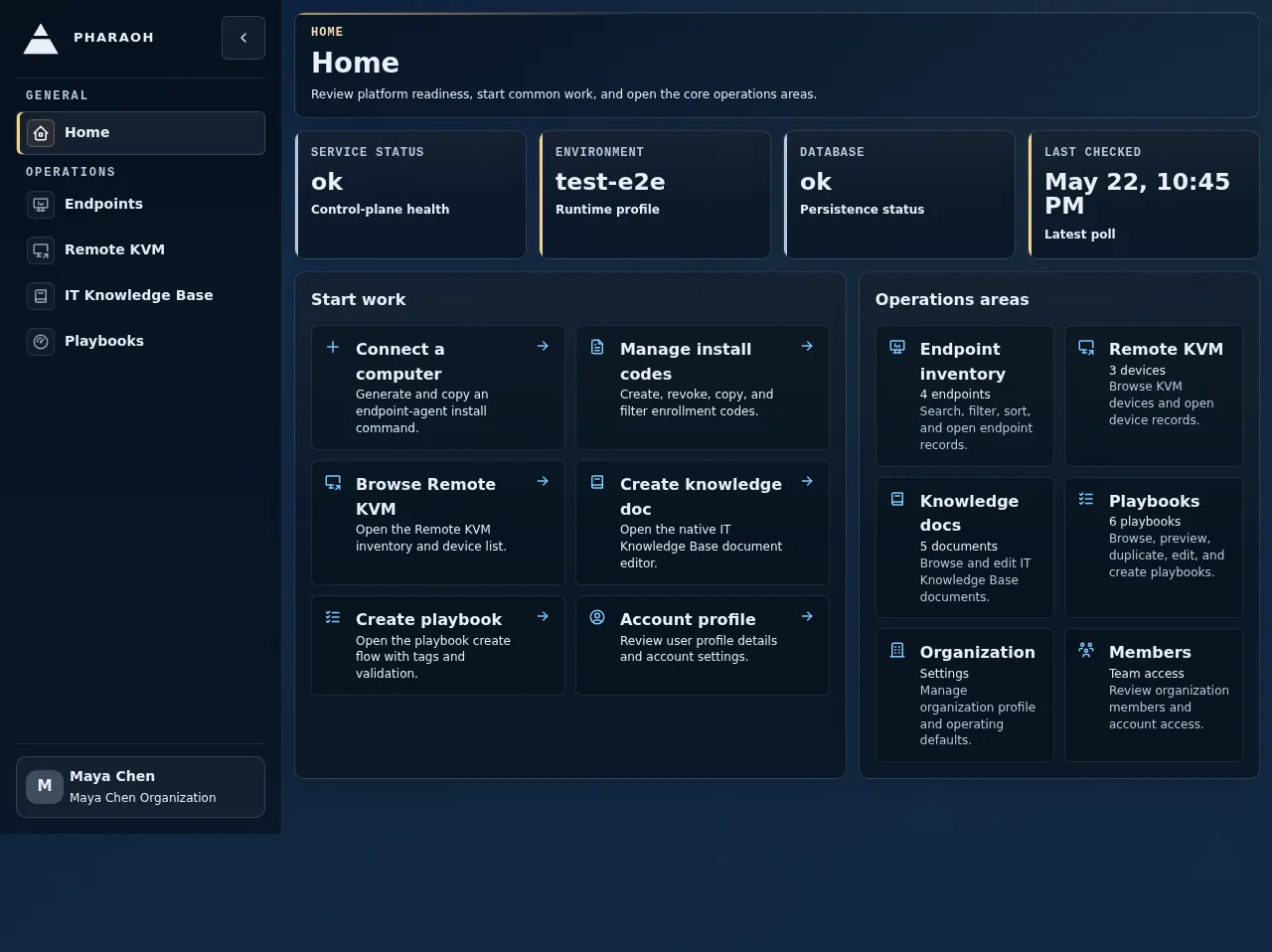
The authenticated shell always gives you three anchors:
- the left navigation, where major product areas are grouped
- the page header and breadcrumb trail, which confirm where you are
- the user menu, where you check your current organization and open account pages
Start Here
Section titled “Start Here”- New operator: Sign in and get oriented, Complete organization onboarding
- First endpoint workflow: Run your first endpoint session
- Need an endpoint investigation example: Investigate an endpoint
- Need Sentinel or self-healing context: Self-healing and Sentinel
- Need billing setup or recovery: Set up billing, Billing
- Need a stable route map: Navigation and page map
- Need the terminology used in these docs: Glossary
Operator Paths
Section titled “Operator Paths”- Set up Pharaoh: Sign in and get oriented, Complete organization onboarding, Install an endpoint agent, Manage guardrails, Use Endpoint Local Web
- Operate the endpoint fleet: Run your first endpoint session, Investigate an endpoint, Endpoints and live view, Session workspace
- Respond to endpoint issues: Respond to stale or offline endpoints, Resolve a failed endpoint check, Self-healing and Sentinel, Remote KVM
- Scale repeatable work: Playbooks, Use the IT knowledge base
- Admin and safety checks: Account and organization, Billing, Navigation and page map, Operator quick reference
Common Questions
Section titled “Common Questions”- How do I connect a new computer: Install an endpoint agent, Troubleshoot endpoint enrollment
- How do I know whether an endpoint is healthy: Endpoints and live view, Respond to stale or offline endpoints, Self-healing and Sentinel
- When should I start a live session: Investigate an endpoint, Session workspace
- What should I do with a failed endpoint check: Resolve a failed endpoint check
- What should I check before approving endpoint self-healing work: Self-healing and Sentinel
- How do I let Pharaoh act safely: Manage guardrails, Use Endpoint Local Web
- How do I avoid rewriting the same instructions: Playbooks, Use the IT knowledge base
- How do I set up or recover billing: Set up billing, Manage billing issues
- What do these Pharaoh terms and IT acronyms mean: Glossary
What To Expect On First Sign-In
Section titled “What To Expect On First Sign-In”- Go to the
Loginpage and sign in with your Pharaoh user account. - If your organization has unfinished mandatory setup, Pharaoh sends you to
Organization Onboardingbefore the main console. - Complete the required profile and billing steps. Optional endpoint, first-session, team, knowledge, and mobile steps can be completed or skipped.
- When onboarding is complete, Pharaoh sends you to
Home, where theOperations Snapshotcard confirms current service health. - Use the left sidebar to move into operational areas such as
Endpoints,IT Knowledge Base, andGuardrails. - Open the user menu in the top-right corner when you need to confirm your current organization, switch organizations, or open
User ProfileandOrganization Settings.
Documentation Set
Section titled “Documentation Set”- Tutorials: guided learning paths for new operators
- Walkthroughs: realistic task-based tours
- Guides: focused how-to instructions
- Feature pages: what a product area is for and where it fits
- Reference: route map and terminology
- Cheat sheets: compact reminders for later phases